Plan Summaries in the ShiftPlan Application
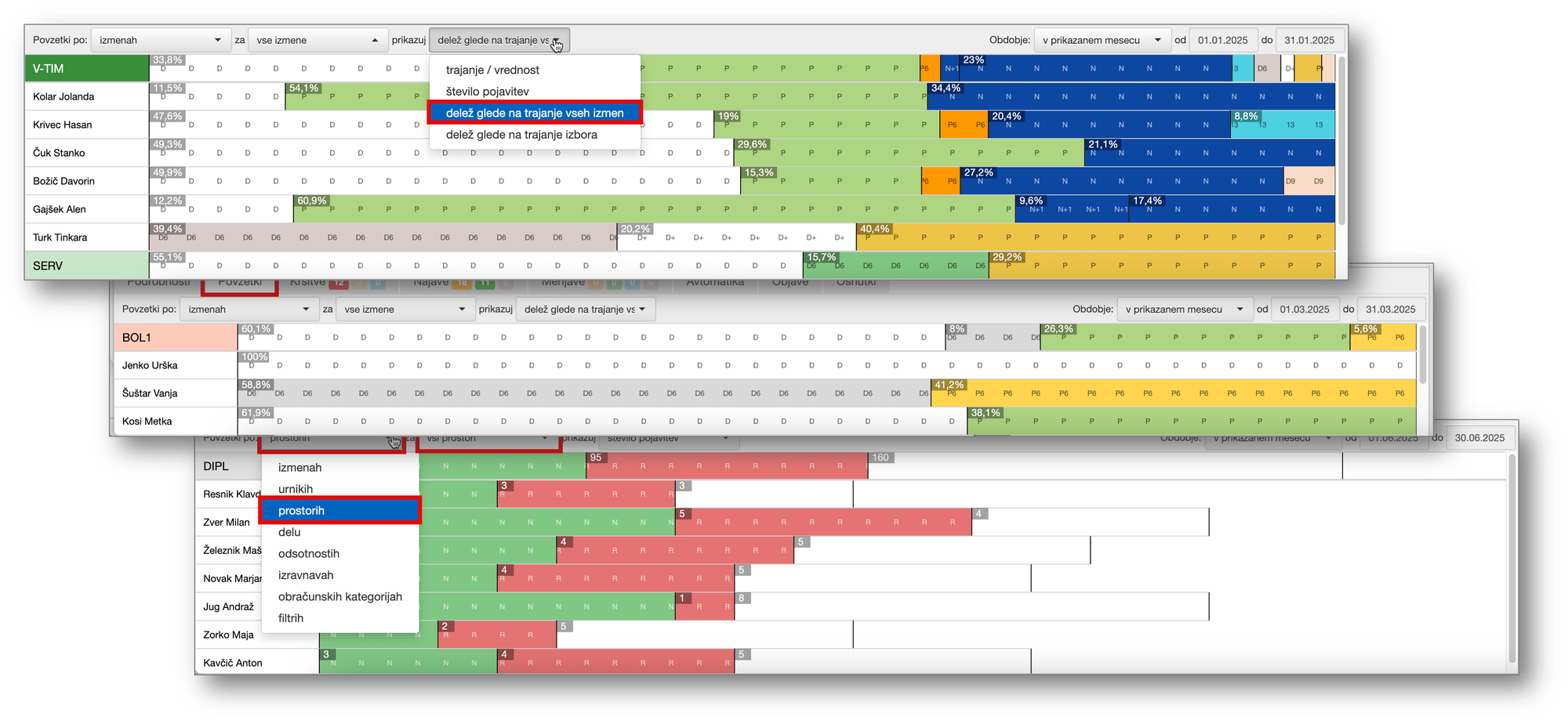
Work scheduling is a dynamic process where changes can arise quickly: absences, shift swaps, special employee requests, or individual constraints. To make it easier for managers to maintain an overview and reduce the risk of errors, we have refreshed and enhanced the Summaries feature in the ShiftPlan application, which is accessible from the Plan window.
When scheduling employees, it is often necessary to take into account the proportion of different shifts employees have worked in previous periods. For example, if an employee worked fewer night shifts during the previous period, they may be assigned more night shifts when creating the new schedule. This ensures that workloads and shift-related pay allowances are distributed fairly among employees.
However, manually counting individual shifts worked can be very time-consuming. To address this, the ShiftPlan application provides a clear and quick overview of summaries for both past and current schedules. The schedule creator can fully customize the summaries based on the information they need.
Three basic types of summary views are available:
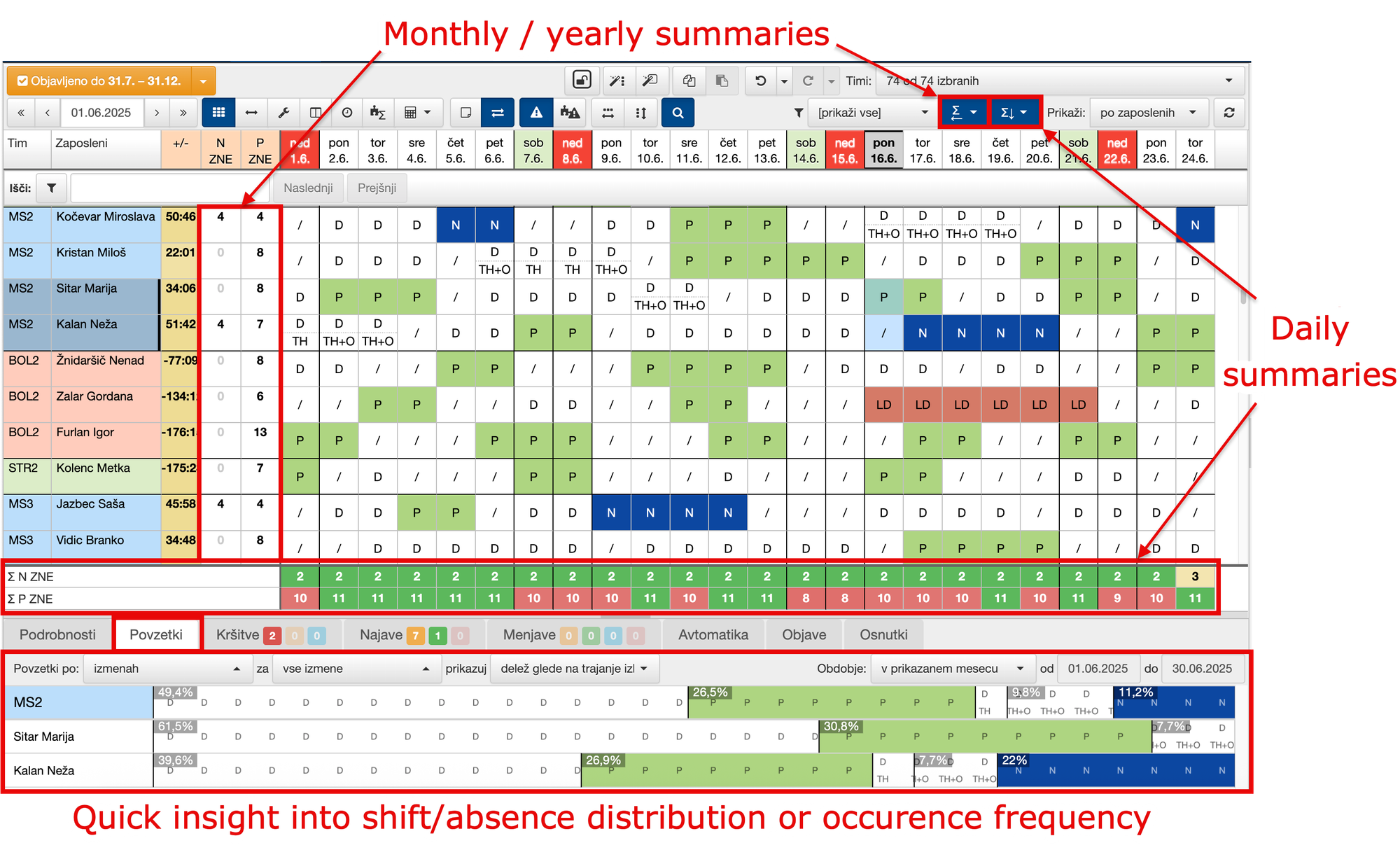
Daily summaries count the number of employees working a specific shift on a given day. This allows us to see at any time whether staffing needs and operational processes are adequately covered. Any combination of shifts or absences can be counted and configured. Daily summaries can either remain permanently visible or be hidden when they are not currently needed.
Monthly/yearly summaries show how many times a selected employee worked a particular shift or was absent during a chosen period (one month, several months, the current year, etc.). This allows you to track and count any combination of shifts (e.g. night shifts, work in a specific department), as well as information such as last year’s/current year’s vacation balance, the number of days an employee worked from home, study leave, and more. The display can be enabled or disabled as needed.
Additional quick-analysis options are available in the lower section under the Summaries tab. The content of this tab corresponds to the cells currently selected in the schedule and shows the distribution of shifts and absences for both the entire department and the selected employees. Clicking on a specific section of the chart displays additional information about the shift or absence.
Summaries can be displayed for any time period (e.g. the current month, several months, or an entire year). Available summaries include shift duration/value (e.g. the proportion of night shifts worked by an individual employee), the number of occurrences of specific shifts or absences (such as the amount of annual leave, study leave, or sick leave used), as well as the total of individual pay allowances and other payroll-related categories.
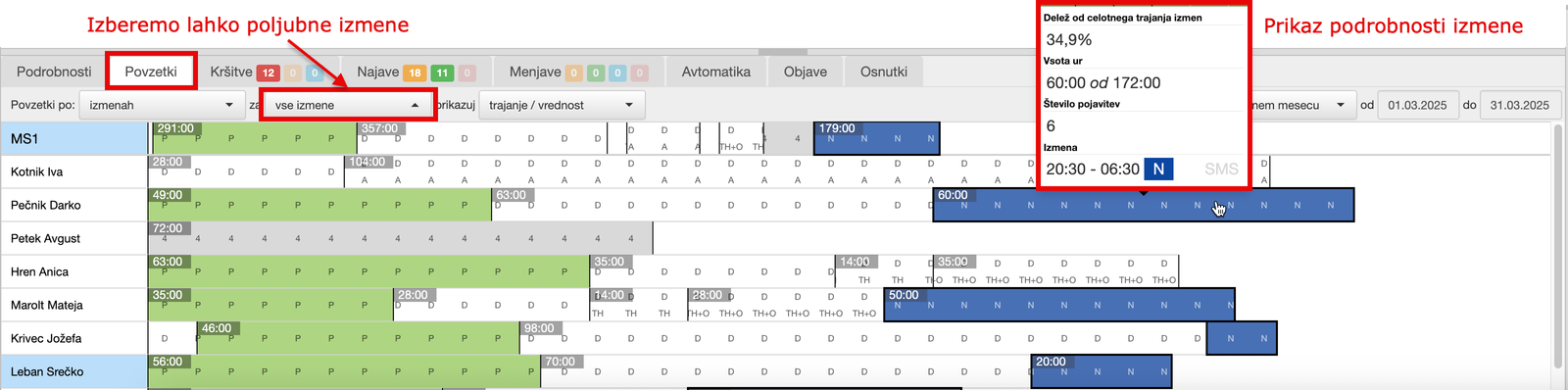
It is also possible to display proportions based on the total duration of all shifts or based on a specific selection (for example, within work performed in a particular department, you can see how much time an employee spent working the afternoon shift). In addition to shifts and absences, you can analyse data based on any combination of tasks, locations, schedules, time balances, payroll categories, or even a custom combination defined using the selected filter. The possibilities are virtually unlimited — manual counting and analysis are now a thing of the past.

All displayed summaries are automatically updated whenever the schedule is changed, ensuring that the data shown during schedule creation is always up to date and already reflects the latest changes.
With Summaries, you can create schedules faster and more fairly, ensuring that workloads are appropriately distributed among employees. This can help reduce labor costs while also increasing employee satisfaction ...and ultimately, that’s what really matters.
*Note: ShiftPlan solution is used on international markets and is equivalent to PlanDela solution.